toon tone Masterpieces
Match the masterpiece color
cream area
Region 1 of 3Restoring game...
R1R2R3
toon tone Masterpieces
cream area
Classic paintings, reimagined in toon tone.
Masterpieces mode brings famous artworks into the toon tone universe. Each game turns a classic painting into a bright, playful color challenge built around bold shapes, expressive colors, and a relaxed art-game experience.
The goal is not to memorize museum labels or guess the artist from a clue. You look at one highlighted area, read the color as carefully as possible, and rebuild it with the same picker used across Toon Tone. That makes each round feel simple at first, but the best scores come from noticing small shifts in warmth, darkness, and saturation. The result feels like a quick game first, then gradually becomes a focused exercise in seeing color more precisely after every new round.
Unlike the flat, symbolic colors in our flag color challenges, a painting's colors are rarely simple. A patch of blue may contain gray, green, violet, and warm reflected light. A shadow that looks black at first glance might actually be deep brown, navy, or muted green. This mode tests how closely your eyes can read those subtle color relationships.
Famous paintings use layered pigments, aged varnish, and atmospheric light. Because of this, a region that feels simple to your brain might actually be a surprisingly complex shade. Masterpieces mode asks you to slow down and isolate hue, saturation, and brightness, translating fine art into a clear toon tone style.
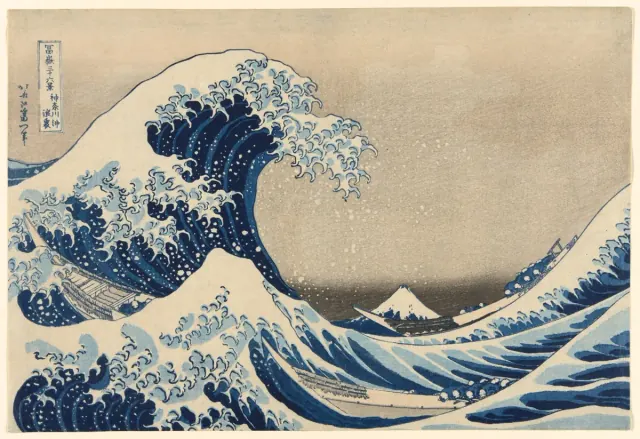
A flag challenge usually asks you to match a clean color field. A masterpiece challenge asks you to read color inside texture, brushwork, paper tone, and surrounding light. That difference changes the way you play. You may need to ignore the object you recognize and focus only on the sampled area. In toon tone Masterpieces, the wave, flower, street, or portrait is familiar, but the score comes from the exact shade hiding inside it.
Each round builds a sharper sense of visual comparison. You learn when a color is less saturated than it first appears, when a highlight is warmer than white, and when a dark area still carries a clear hue. Artists can use the mode as a quick color-study exercise, while casual players can treat it as a relaxing classic art game with instant feedback.
The first Masterpieces set uses official open-access records from the Art Institute of Chicago. Each included artwork is marked public domain by the source institution, and the game stores a local web-optimized image for fast play. Official source links are available in the artwork info panel, so players can move from the game view to the museum record when they want more context.
It is a game mode that reimagines classic artworks as playful color challenges. Each painting is simplified into clear toon tone regions so you can focus on hue, saturation, brightness, and visual memory without needing art-history knowledge.
Choose an artwork, study the highlighted area, and rebuild the color with the HSB picker. The game compares your answer with the sampled artwork color, gives you an accuracy score, and then moves you through the remaining regions.
Yes. Each puzzle is inspired by a public-domain masterpiece and redesigned as a relaxing toon tone color challenge. The official source link for each artwork is available from the info panel, so you can check the museum record behind the game image.
Display calibration, brightness, color profiles, and compression can all affect how a digital painting appears. We use consistent local web images for gameplay, but your hardware will always influence perception, especially with muted shadows and aged paint colors.